Fast shift entry
Enter date, start, finish, hourly rate and a default unpaid 30-minute break.
WageCheck AU helps Australian hourly and shift workers track shifts, breaks, payslip figures and timesheets on their phone.
Use it for everyday gross-pay estimates, then compare your payslip or send a timesheet after you review your shift history.
Enter date, start, finish, hourly rate and a default unpaid 30-minute break.
Change break minutes quickly, or add optional strict start/finish break times if your employer requires them.
Saved shifts appear before payslip comparison and timesheet sending, so you can check your records first.
Email, share, copy, download CSV, or print/save a PDF timesheet for the selected pay period.
No account. No cloud database. Your shifts are stored locally in your browser on your phone.
Install it to your home screen and keep using the app even when reception is patchy.
A simple visual guide for workers and backpackers. More languages can be added as we learn who is using it.
Tap “Open Free App”. If you like it, install it on your phone home screen.
Enter your start time, finish time, hourly rate and break minutes.
Check your saved shifts before comparing a payslip or sending a timesheet.
Use Payslip Comparison or Send Timesheet when you are ready.
A short silent vertical guide is included for QR pages, hostel groups, WhatsApp, Instagram Stories, or TikTok-style sharing. We can add voiceover and translated captions later.
The free app stays shareable. Pro features are locked by default until beta/trial access is enabled, so we do not publicly share an unlocked paid-feature app.
One-click timer input is now a locked Pro Beta feature: Start Shift, Start Break, Resume, and Finish Shift automatically stamp times while still letting users edit manually.
After validation, the target offer is a simple 3-month Backpacker/Worker pass with a short free trial. Referral/share bonuses can extend access later.
Current beta locking is suitable for private validation only. Real paid release should use backend license verification with Stripe/PayPal access control.
WageCheck AU is a PWA. It is not an App Store app yet, but it can still behave like an app once added to your home screen.
Open in Safari → tap Share → Add to Home Screen → Add.
Open in Chrome → tap menu → Install app or Add to Home screen.
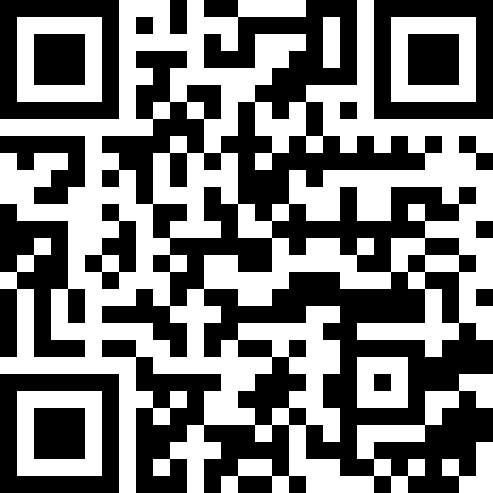
Print this page or use the QR code on a flyer. It opens the landing page first, so new users can read the privacy message and install instructions before launching the app.
Estimates only. WageCheck AU does not replace workplace advice, award interpretation, tax advice, or your official payslip.